01
Start with the Admin account
Log in as Admin to see the full system overview, users, roles, members, branches, reports, and system-wide records.
CHMS helps churches manage members, visitors, attendance, giving, events, branches, equipment, and reports from one secure dashboard.
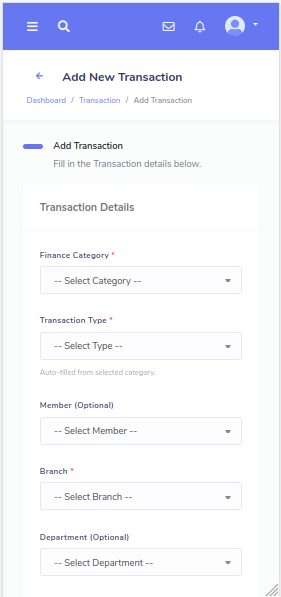
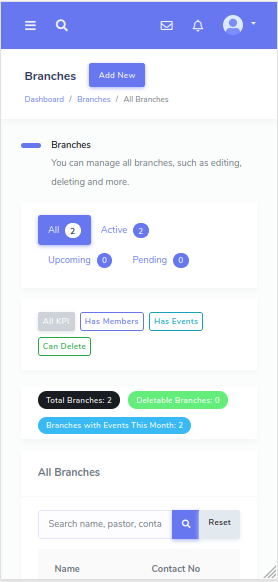
These preview cards use actual CHMS backend screenshots so visitors can see the system clearly before login.
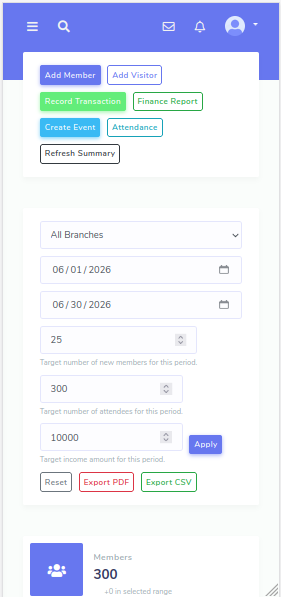
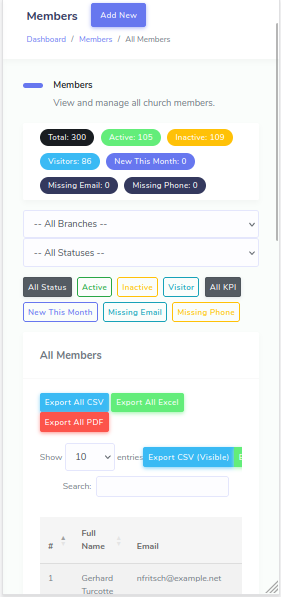
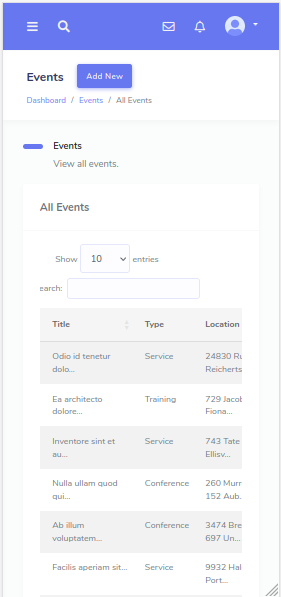
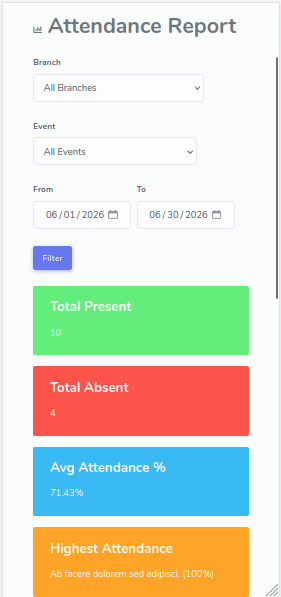
Use the demo accounts to explore how each church role manages its part of the ministry workflow.
Log in as Admin to see the full system overview, users, roles, members, branches, reports, and system-wide records.
Explore how church members, visitors, departments, and branches are organized. Check how visitor follow-up supports church growth.
Log in as the Finance user to view giving, offerings, income, expenses, finance categories, and reports.
Use the Attendance account to review event check-ins, attendance records, church calendar, and upcoming services alongside the events preview already shown on this page.
Look at roles, permissions, activity logs, login logs, and quote/demo request handling to understand how the system supports controlled access and transparency.
Choose the role that best matches the area your church leadership wants to evaluate first.
Best for seeing the whole system.
Use this accountBest for leadership overview and reports.
Use this accountBest for giving, income, expenses, and finance reports.
Use this accountBest for check-ins and attendance records.
Use this accountBest for church assets and operational stewardship workflows.
Use this accountBest for limited user and member-facing review.
Use this accountThe demo highlights the modules already supported by the backend and presents them as a clearer product story for churches and ministries.
Keep organized member records with contact details, branch assignment, departments, and membership status.
Capture visitor details and follow-up history so new guests are not lost after their first visit.
Manage multiple church branches from one system with structure that fits growing ministries.
Assign members to departments, ministries, and service teams with better coordination.
Track service and event attendance through attendee records and organized reporting.
Record giving, offerings, income, expenses, and category-based transactions with clear finance reports.
Plan church events, manage attendees, and keep the ministry calendar visible to the right teams.
Track church equipment and assets so departments know what is available and where it belongs.
Review attendance, finance, and operational trends from dashboards built for day-to-day leadership.
Control what each user can access so finance, attendance, and leadership stay properly separated.
Monitor important actions and login history for stronger accountability across your team.
Support member care with automated birthday greetings and email-based notifications.
This section is intentionally prominent so churches, clients, and internal reviewers can log in quickly and compare role-based experiences.
Full system control and configuration.
tb@thewebkit.com
password123
Leadership overview, members, attendance, and reports.
pastor.john@chms.com
password123
Giving, income, expenses, and finance reports.
finance@chms.com
password123
Attendance tracking and event check-ins.
attendance@chms.com
password123
Church assets, equipment records, and stewardship workflows.
emanager@chms.com
password123
Limited member/demo access.
member1@chms.com
password123
These accounts are seeded for demo/testing purposes only.
Different people in ministry need different views. CHMS is positioned around those practical access boundaries.
Controls users, system settings, branches, permissions, and overall reporting.
Views leadership summaries, members, attendance trends, follow-up, and ministry reports.
Handles giving, offerings, expenses, finance categories, and reporting with focused access.
Tracks event attendance, check-ins, and related attendance reports without wider admin access.
Coordinates events, calendars, attendees, and logistics for church activities.
Monitors church assets and equipment usage for better stewardship and coordination.
Receives limited demo-style access appropriate for member-facing use cases and custom workflows.
Exact pricing is intentionally left open for now so this landing page can later connect to your real sales flow.
For small churches that need member, visitor, and event management.
For churches that need finance, attendance, reports, and role-based access.
For multi-branch churches or churches needing custom workflows, SMS, integrations, or special reports.
This section explains the real operational value churches look for instead of using placeholder SaaS testimonials.
Reduces paperwork and scattered record-keeping by moving member, visitor, finance, and attendance data into one system.
Improves accountability with role permissions, activity logs, and login logs for sensitive operational areas.
Keeps records centralized across branches, ministries, departments, and events for better coordination.
Makes attendance, finance, and activity reports easier to review when leadership needs quick answers.
Helps departments work better together while still giving each role controlled access to the right tools.
These are presented as optional future add-ons or customizations, not as guaranteed active demo features.
Explore the demo or request a customized Church Management System for your ministry.
Tell us about your church or ministry and we will follow up to arrange a guided demo or prepare a quote.